What's New
Recent product updates, new features, and improvements to Ruzuku.
Multiple Log-in Page Options and New Layout
We've improved the custom branding login page experience for Ruzuku Pro sites!
You can now choose between two different layouts:

This centered layout provides a standard login screen.

The new "2 column" login view offers an alternative layout, with the background image on the right and the login component on the left. This is a great option if you want to use a prominent image on your login page.
With either layout option, you can customize the look of your page using the new Settings menu. You can customize your background color/image and accents, the logo, container (where the login information is entered), and the button and links.
Tip: You can click the "View Live" button on the top left to view the finished product!
Resumable Uploads
If you have a large video file, for example, that you want to upload to your course or product, the upload may time out depending on the size of the file and your internet speed.
Instead of requiring you to start the upload process again, it will now pick up from where it left off without needing to start over.
This is a helpful improvement for larger files and slower internet connections!
Redesigned Course Dashboard and Welcome Screen
You may have noticed that your Ruzuku account looks a bit different and has a lot of new and helpful information!
We're excited to share that you can now easily view some new information about your account with this new and improved layout and design:
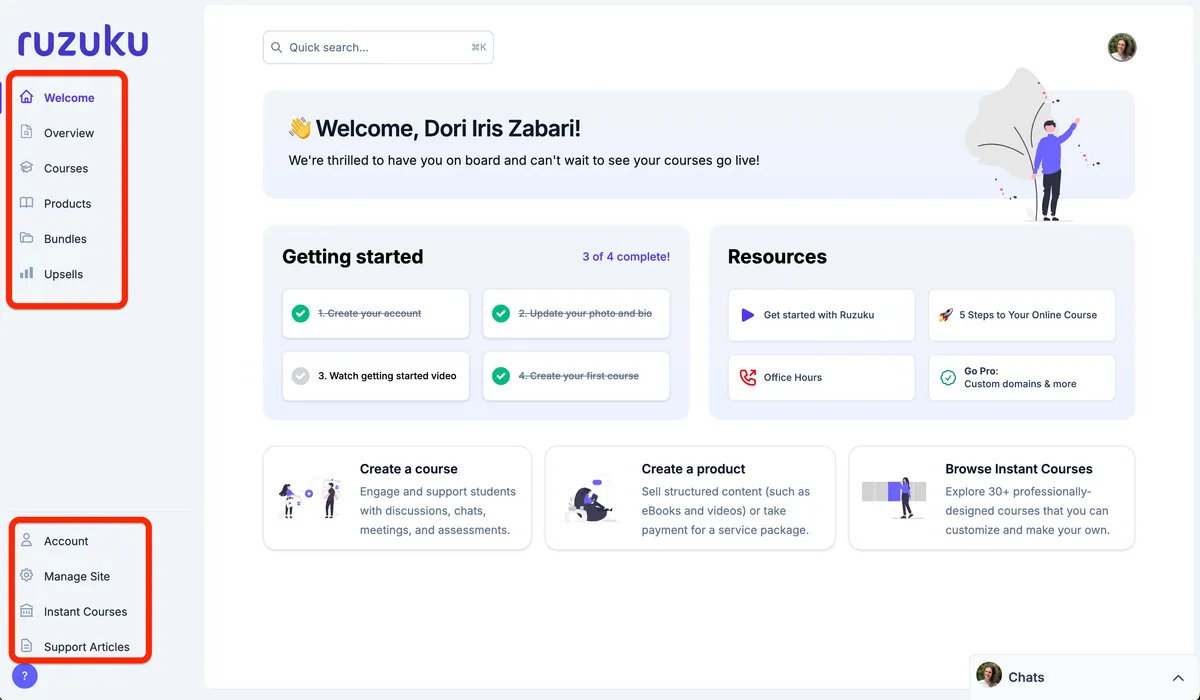
It includes a menu on the left-hand side of your Ruzuku account with:
- A new Welcome page that helps you get your account started, includes helpful resources, and quick links to create a course, a product, and browse the Instant Courses (see what it looks like in the screenshot above)
- A new Overview page calculating your overall revenue, average purchase value, and total number of enrolled students. It also lists all of your recent activity across all of your courses in one place.
- The Courses page you already know and love
- A new Products page that houses all of your digital products (learn more about products here!)
- A new Upsells page that allows you to share opportunities for your students to purchase other courses, bundles, or digital products when they enroll in one of your courses (learn more about upsells here!)
You'll also find a menu on the lower left-hand side of your Ruzuku account with quick links to access your account information (password, photo, bio, billing, etc.), to your "Manage Site" page if you have a Pro account, to the Instant Courses, and to our support articles.
We hope you enjoy this new and improved layout and design as much as we do!
Add Upsells to Your Course Checkout
Want to share opportunities for your students to purchase other courses, bundles, or digital products when they enroll in one of your courses?
Well now you can with our new upsell feature!
Here are the steps to add an upsell to your course checkout process.

Create and Sell Digital Products
Ruzuku has always had one focus: "online courses."
Not anymore :)
We're expanding our vision to include creating and selling simple, focused digital products such as:
- eBooks
- premium videos
- audio packages (e.g. interview collections, guided meditations, etc.)
- downloadable PDF workbooks or templates
- one-off coaching or service offerings
The digital products feature is included on our Ruzuku Pro plan.
If you're on Pro, you can try it out yourself:
- Log into your Ruzuku Pro website.
- Go to "New course or product."
- Choose "Create a product…"
Find Anything in Your Course with Improved Search
You can now search throughout all the content in your course, including:
- lesson materials
- discussions
- comments
And on Ruzuku Pro, you can search inside audio and video transcripts — and even the transcripts of your meeting recordings.
To try out the new search, simply click on the search icon in your course, then type your keyword or phrase:

Click on any of the categories to see all the results of that category (for example, all the lessons that match your keyword).
Happy searching!
Updated Course Creation and Course Templates
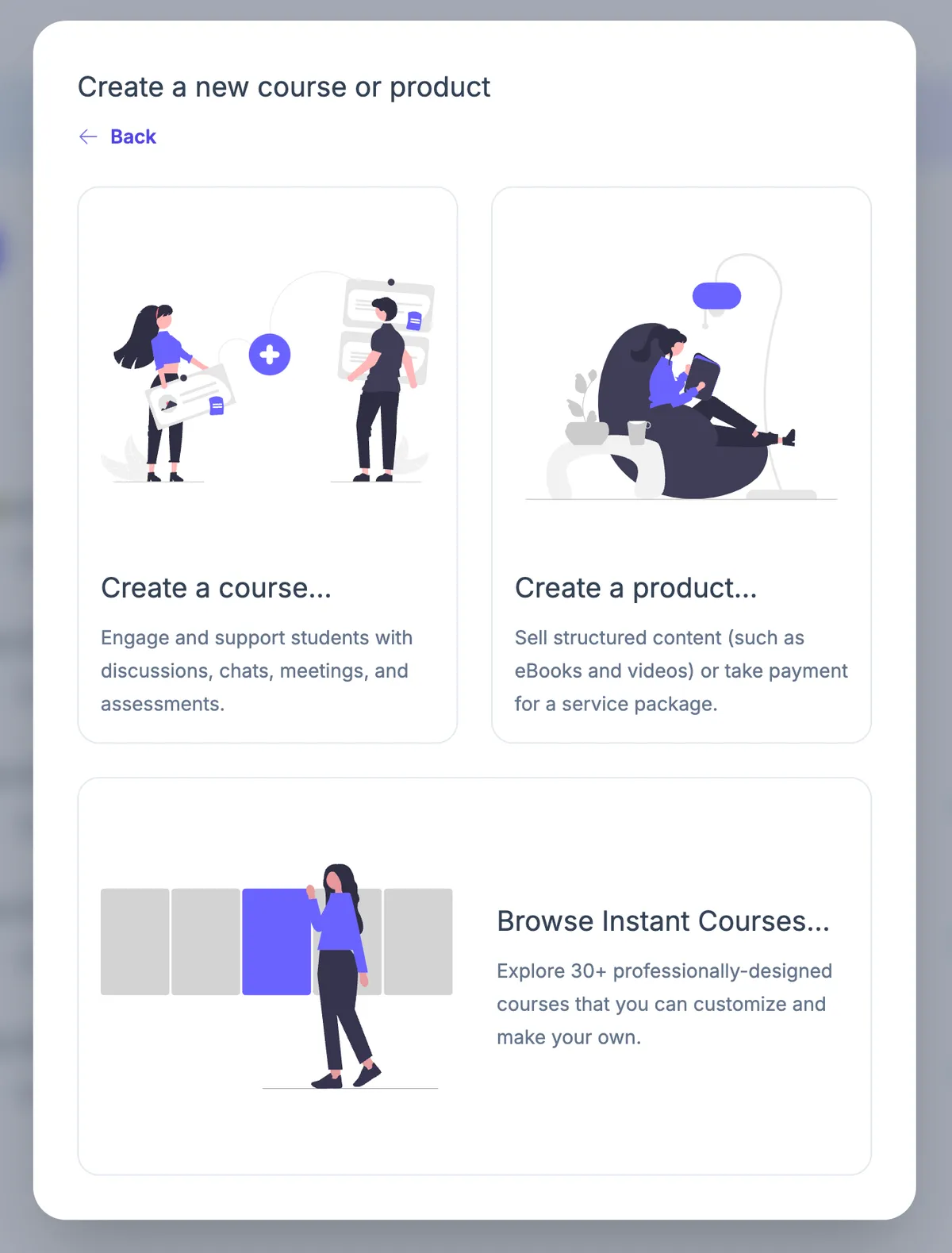
We've updated the design for creating new courses and products, as well as course templates to help you get started quickly!
Choose Custom Colors for Your Courses
We're excited to share a cool new design capability for your courses…
You can now customize the color of your course theme!
The custom color feature is included only on our Ruzuku Pro plan.
Give a Course as a Gift
Just in time for last-minute Christmas shopping and New Years' resolutions…
Customers can now purchase your course as a gift for another person :)
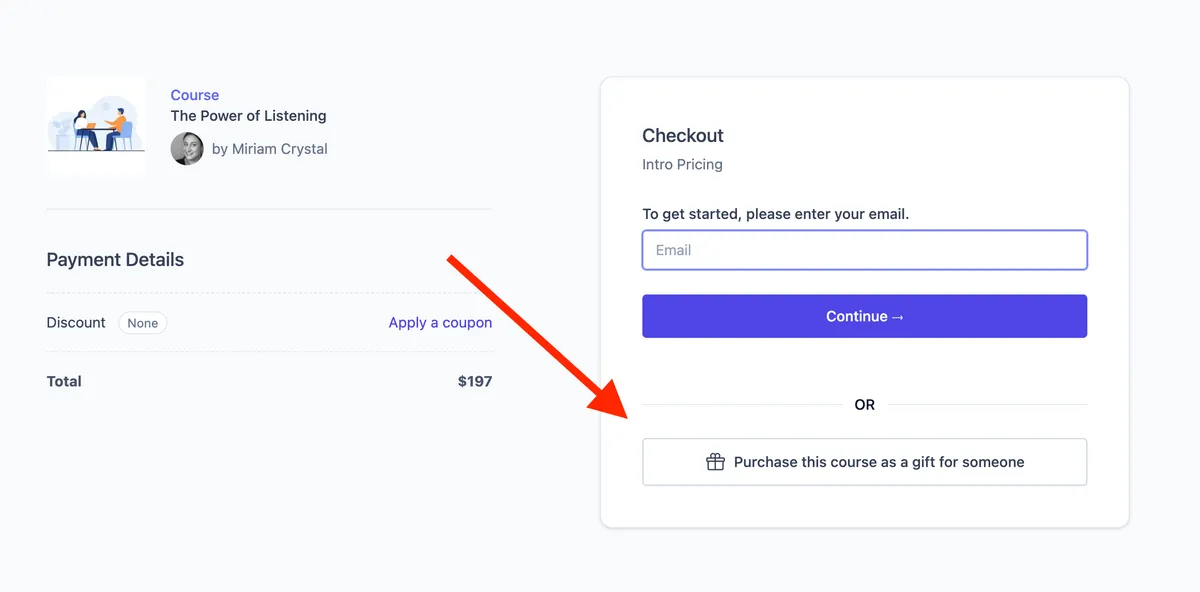
The gift-giving feature is included on all plans.
To try it out for yourself:
- Log into your Ruzuku account.
- Open any course you're teaching.
- Go to Manage Course ⤑ Price Points.
- Choose a Price Point.
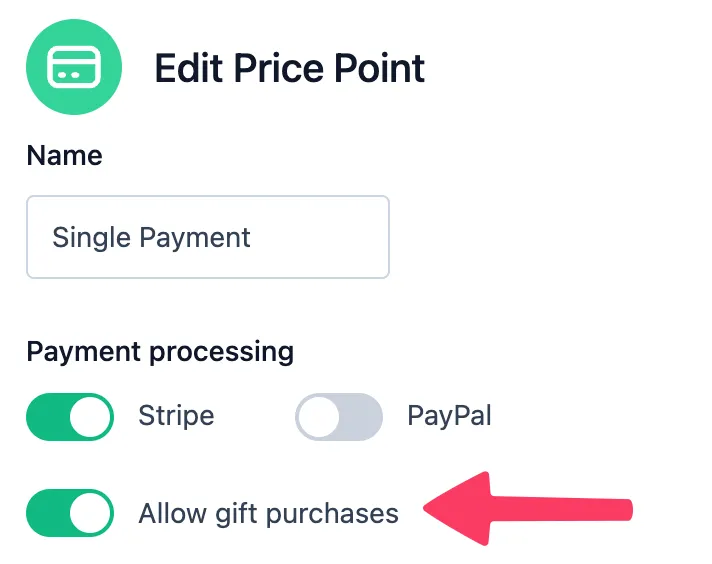
- Click "Edit Price Point."
- Enable "Allow gift purchases," and save your changes.
When your customers come to the enrollment page for this price point, they'll see the option to purchase as a gift.
Offer Certificates of Completion
You can now issue customizable certificates of completion to your students!
- Certificates are hosted in your courses, on your website domain, so it matches your brand.
- You can customize the color, badge, and text of the certificate in each course you offer.
The certificate feature is included on our Ruzuku Pro plan.
Full Text Search for Lessons Content
Need to find a particular bit of information in a big course? You can now search across any module title or lesson text in your course — instantly.
Give it a try by going to "search" (the magnifying glass icon in Student View), or hit the search hotkey while viewing your course: Ctrl+K (or Cmd+K on Mac).
Launch a Storefront Featuring Your Courses
We're excited to announce a long-requested new capability for Ruzuku…
You can now open a custom storefront:
- The storefront is hosted on your own website domain, so it matches your brand.
- It's a customizable marketing page that features a listing of your courses available for purchase.
The storefront is included on our Ruzuku Pro plan.
Connect with Your Students by Tagging Them in Discussions
At Ruzuku, we're all about helping you connect with your course participants & build community :)
We've got something new to help you with that —
You can tag your participants — and they can tag each other — to help start conversations in your course.
This works like tagging you've used on Facebook, LinkedIn, and other sites.
Here's a peek:
I'll @mention Miriam in a post:

Now she gets a notification:
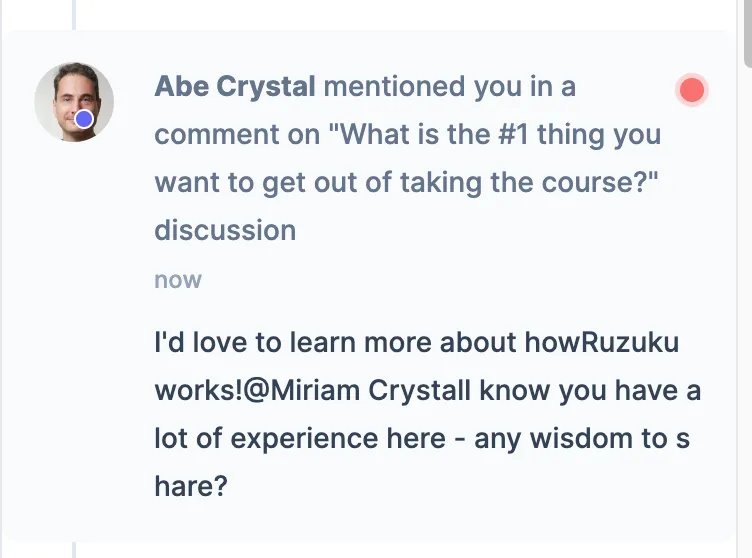
… and can easily reply to my post:
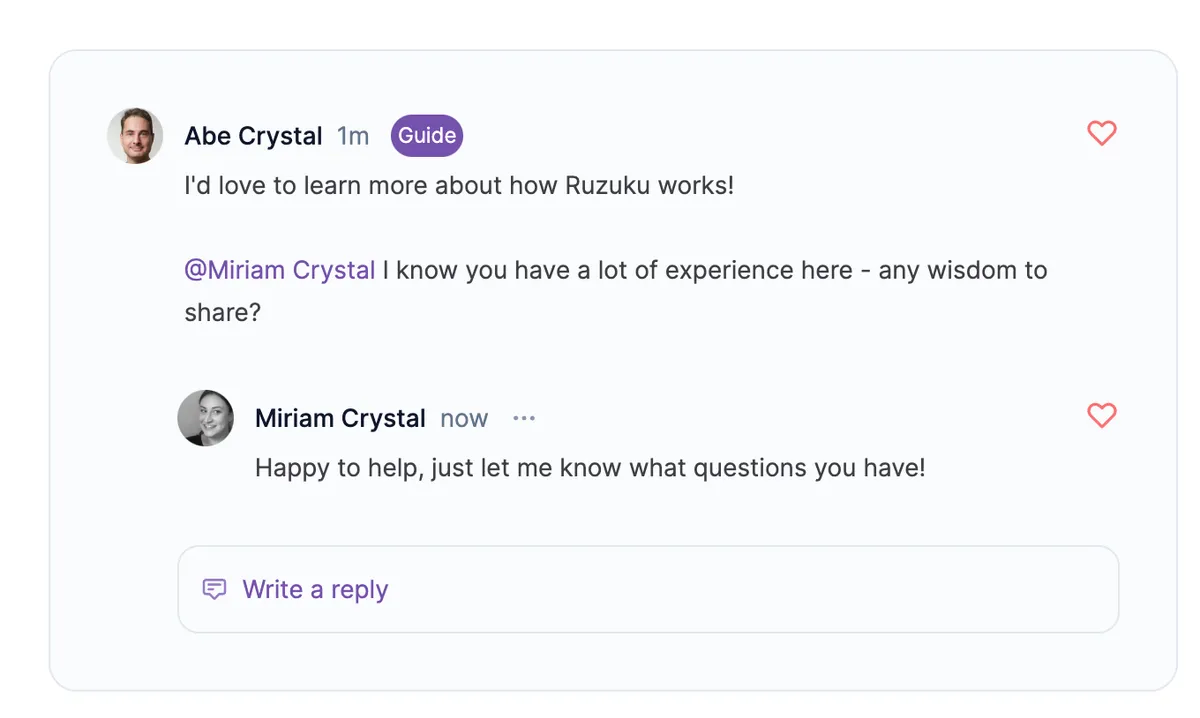
Try it out yourself:
- Go to any course in your Ruzuku account.
- View a discussion prompt, or a course-wide discussion on the Discussions page.
- Start typing your post or comment, then type @. Begin typing the first few letters of another person's name to tag them in your post.
Course-Wide Discussion Forums
Discussions and community are core to the learning experience on Ruzuku. So we're really happy to announce our new course-wide discussion forums. This new forum complements and extends the lesson-specific discussion prompts which you've already been using in Ruzuku. Here's how the forum looks:
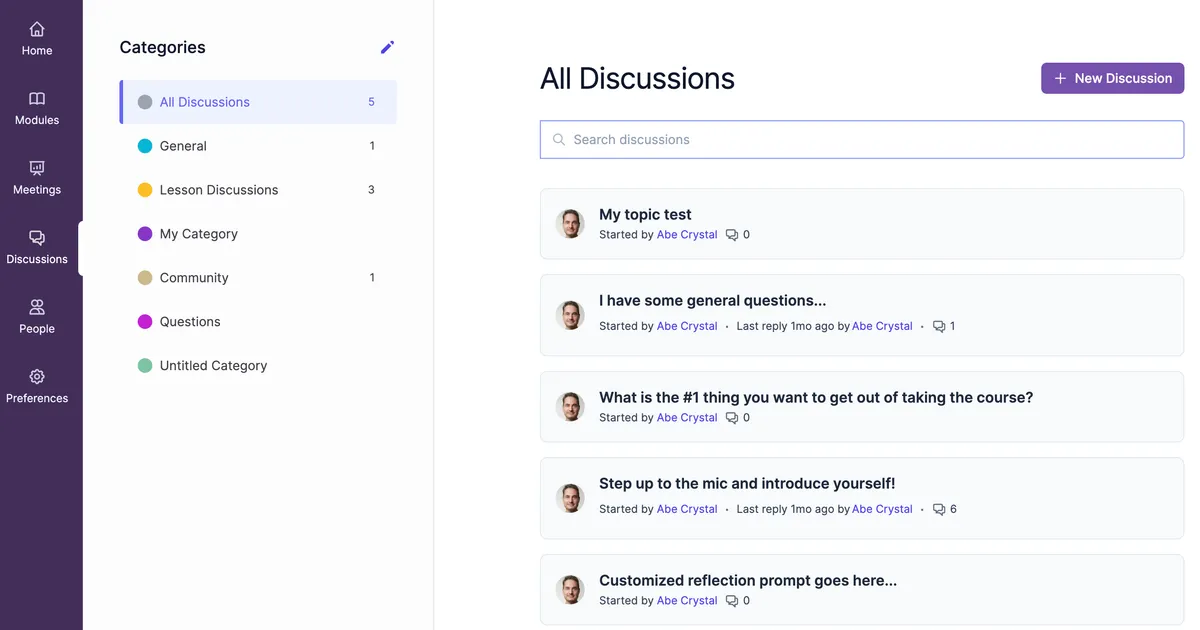
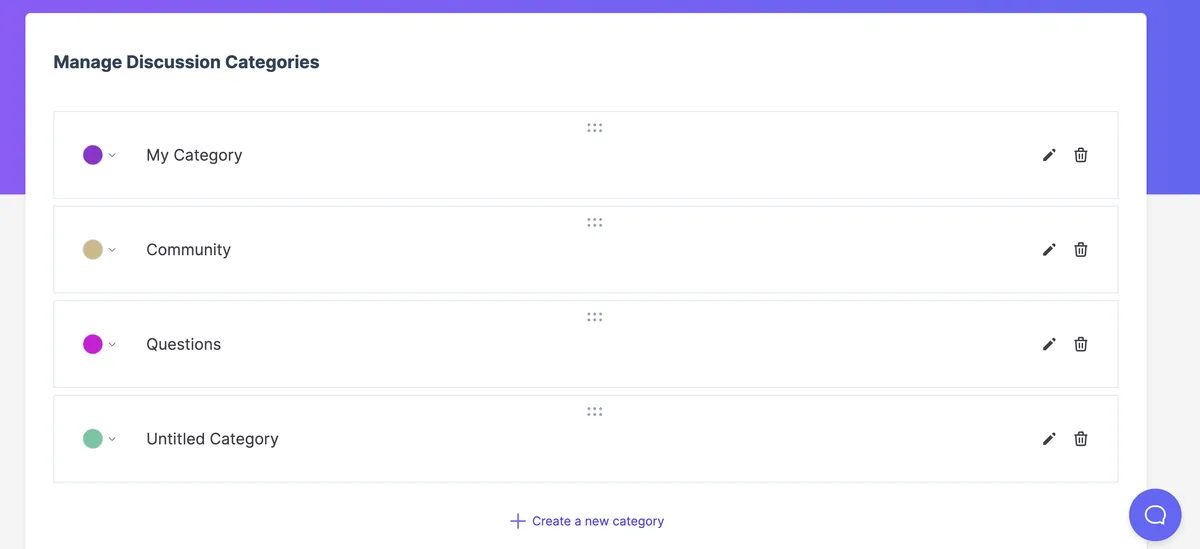
As the Guide of your course, you can create as many different custom categories for your forum as you like. For instance, you might create categories for course materials, assignments, general questions, or anything else you choose. This will help keep your course discussions organized and easy to navigate for your students. Here's the category editor:
The course-wide forum is designed to make it easier for you to foster a sense of community within your courses, encourage collaboration and engagement, and help your students to learn from each other. We hope you try it in your courses soon, and would love to hear your thoughts & suggestions!
Course Bundles and Subscriptions
What's better than offering a single online course for sale?
Putting together an entire bundle!
And that's exactly what you can do with Ruzuku's new "course bundles" feature. Just go to "My Bundles" in your account — here's a quick walkthrough:
See how to create a course bundle on Ruzuku ⤑
Once you've got a bundle set up, you can offer it for free, or as a paid package.
And if you set up a subscription price point for the bundle, you can offer it as a membership — your customers will pay a recurring monthly or annual fee for access to the library of courses you provide in the bundle.
Access Limits
Most online courses are offered with "lifetime access" — students sign up and have access to the course content & community indefinitely.
But sometimes, it makes more sense to offer access only for a limited period of time: say, 6 months, or a year.
For example, you might sell your course as a half-year program, with access to the coaching and content ending after that time period.
We now support this type of course access with Ruzuku's "access limits" feature. Here's a quick walkthrough:
New Sales Page Editor and Design
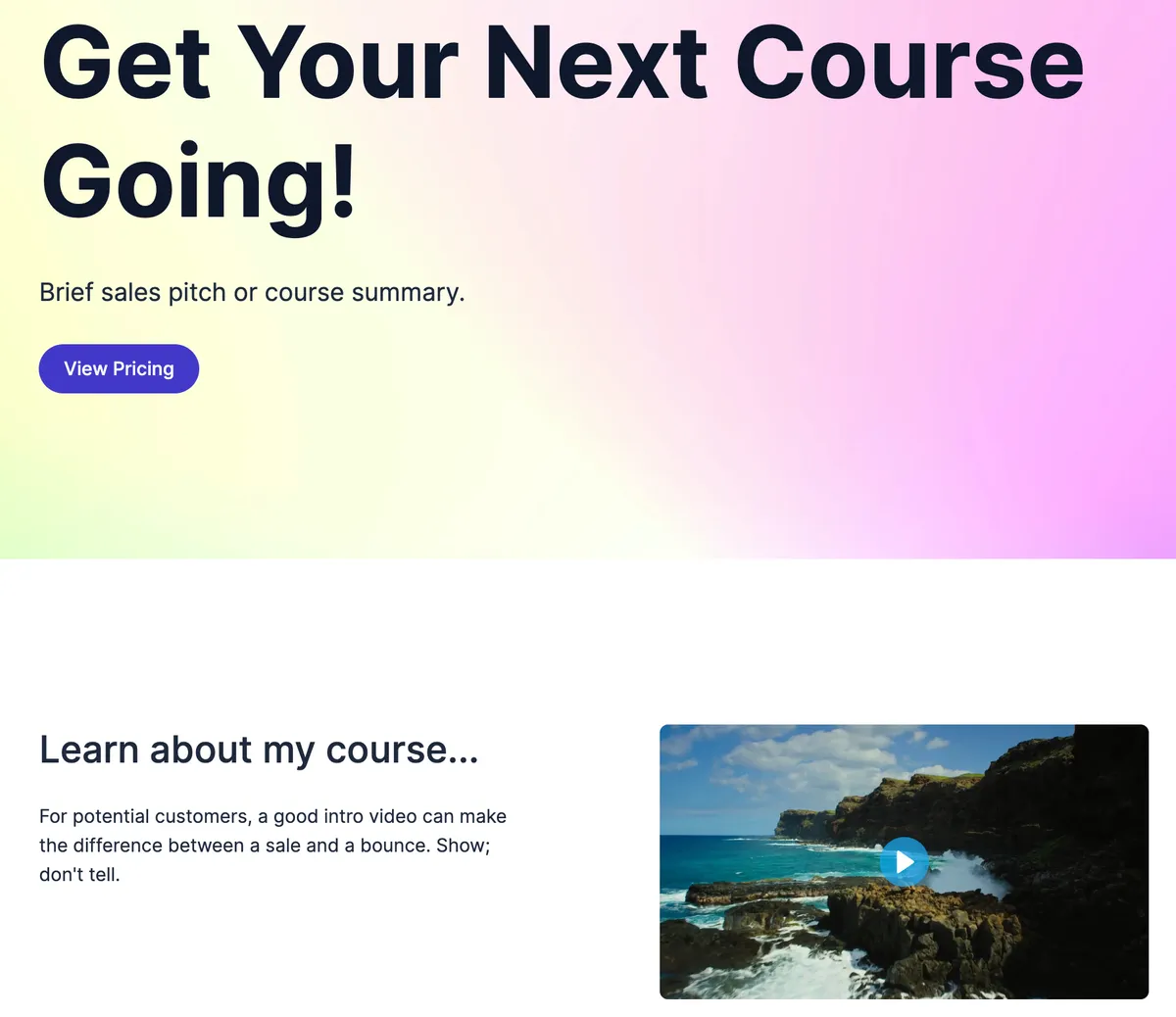
We know that a well-designed, engaging sales page is critical to the success of your courses. Our new sales page template and editor make it easy for you to craft a sales page you love.
Zapier Integration Now Available
Have you heard of Zapier?
Zapier is an online platform that helps you automate workflows by connecting your apps and services you use. This allows you to automate tasks without having to build this integration yourself.
Here are some examples of how you might use Zapier to help automate your courses:
- Add a student's email address to your general email marketing list in ConvertKit (or other email marketing system) after they sign up for a course.
- Send a note of congratulations from your Gmail account after a student completes all the lessons in a course.
- Add each payment in a course to a Google Spreadsheet, so you can track your revenue easily.
The good news: Ruzuku now integrates with Zapier.
To get started, go to your integrations page, then click the Zapier button. Follow the instructions from there to get started :)
PayPal Integration Available
You can now integrate your PayPal account directly with Ruzuku. This allows you to process payments using PayPal, in addition to (or instead of) Stripe.
We currently support single payments (but not payment plans or subscriptions) when using PayPal as a processor.
Ready to Create Your Course?
Start building on a platform that's constantly improving to help you succeed.
No credit card required · 0% transaction fees